
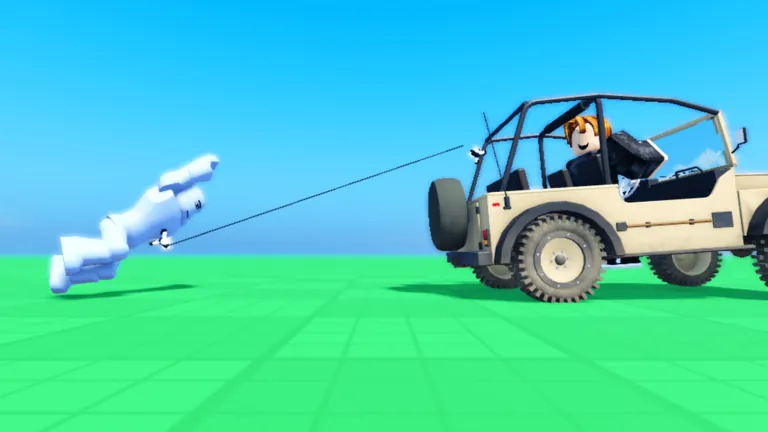
Route 1: a community module (RagdollService)
RagdollService is a community module posted on the DevForum in January 2026 (it is not an official Roblox service, despite the name). Its post lists R6, R15 and custom-rig support, NPCs and players, humanoid-less characters, a ragdoll-on-death example and no external dependencies. Setup, as its author describes it:
- Put the module in
ReplicatedStorage. - Require it from both a server script and a client script.
- Call
RagdollService.Ragdoll(character)to go limp andRagdollService.Unragdoll(character)to stand back up.
R6 and R15 are detected automatically. For other rigs, pass a rig type as the second argument or set a RigType attribute on the character. One catch from the author: calling it from a client only works on a rig that client created.
Route 2: build it yourself
The manual version is the same idea the modules automate:
-- For each Motor6D in the character (server script)
local function ragdollJoint(motor)
  local a0 = Instance.new("Attachment")
  local a1 = Instance.new("Attachment")
  a0.CFrame = motor.C0
  a1.CFrame = motor.C1
  a0.Parent = motor.Part0
  a1.Parent = motor.Part1
  local socket = Instance.new("BallSocketConstraint")
  socket.Attachment0 = a0
  socket.Attachment1 = a1
  socket.LimitsEnabled = true
  socket.TwistLimitsEnabled = true
  socket.Parent = motor.Parent
  motor.Enabled = false
end
Then set Humanoid.BreakJointsOnDeath = false so death does not tear the constraints apart, and set PlatformStand (or change the Humanoid state) while the character is limp. To stand up, re-enable the Motor6Ds and destroy the constraints and attachments. The second open-source system on the DevForum does exactly this for R6 using a table of preset attachment positions per joint.
The same thing on video

Active ragdolls
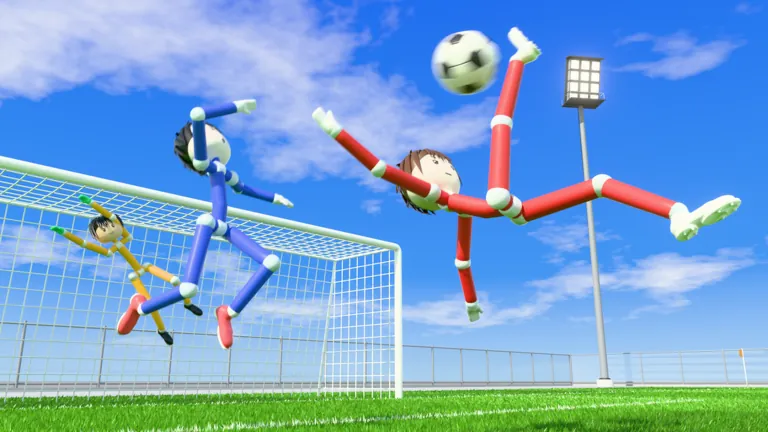
An active ragdoll is limp but still trying to stay up — think Ragdoll Soccer, where players run and kick while their limbs flop. That needs forces, not just constraints: the usual approach keeps BallSocketConstraints but adds alignment constraints or motors that pull limbs towards an animated pose with limited strength, so impacts can overpower them. It is the hardest route; start with a plain ragdoll first.
Make a ragdoll with a community module
- Add the module. Insert the ragdoll module into ReplicatedStorage.
- Require it on both sides. Require it from a server Script and a LocalScript.
- Ragdoll the character. Call the module’s Ragdoll function with the character model.
- Stand back up. Call Unragdoll with the same character when the ragdoll should end.
FAQ
How do I make a ragdoll in Roblox Studio for R15?
Use a module that supports R15 (RagdollService detects it automatically), or replace every Motor6D in the R15 rig with a BallSocketConstraint as shown above.
Do I need a script to make a ragdoll?
Yes. Joints have to be swapped at run time, which needs a script or a module.
How do I make an active ragdoll?
Keep the BallSocketConstraints but add limited-strength forces that pull limbs towards a pose, so the character tries to stay upright.
Sources
- DevForum: RagdollService, all-in-one ragdoll module (community) — checked 20 Nov 2026
- DevForum: Another Open Sourced Ragdoll System (community, v1.6.9) — checked 20 Nov 2026
- Roblox Creator Hub: BallSocketConstraint — checked 20 Nov 2026
- Roblox Creator Hub: Humanoid class reference — checked 20 Nov 2026
How numbers and codes are collected: methodology.